Licence
97 PLN
One-time payment
- AU and VST3
- macOS and Windows
- Two of your own computers
- Free updates
Secure checkout by Lemon Squeezy. VAT included.
drżysz · instrument 01 · granular sampler
Make a sound nobody else has.
Load any sample: a voice memo, a street recording, an old loop. Hold a note, and mżawka breaks it into hundreds of grains and rebuilds them into a texture that exists only in your track. Fifteen controls and a set of presets, all on one screen.
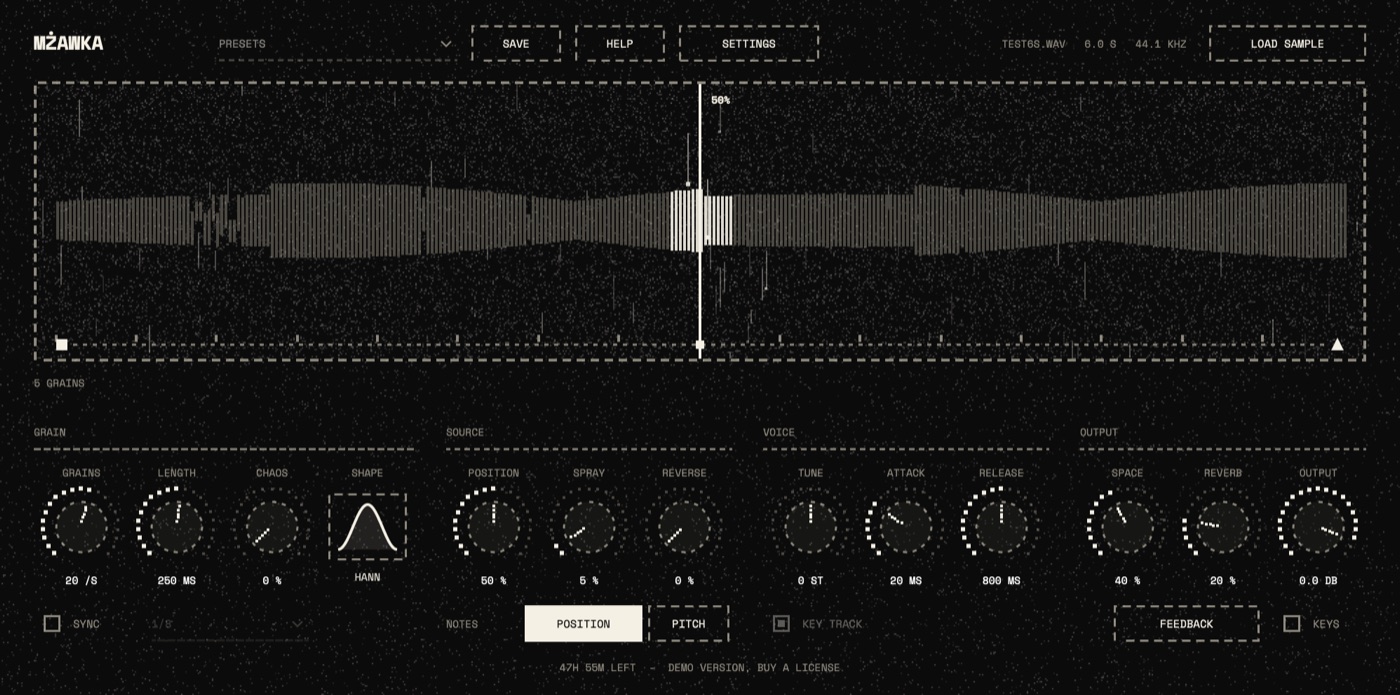
Everyone downloads the same sample packs. Load a voice memo, a recording from a walk or a loop you made years ago, and mżawka turns it into an instrument nobody else owns.
Turn up spray and space, and every grain picks its own spot in the sample and its own place in the stereo field. The same note comes out a little different every time.
Every control sits on one screen and answers the moment you turn it. You look for the sound by listening, and when you find it, it's saved with the project.
Drag a file onto the window, or click load sample. WAV, AIFF, FLAC or MP3, up to ten minutes.
Draw a long MIDI note, or open the keys strip and click one. The grains keep falling for as long as you hold it.
Drag across the waveform to choose where the grains come from. Then try length and spray, and listen.
Every grain that plays falls through the waveform as a drop of light, right where it reads from. You see what you hear.
Play chords. Each key plays its own place in the sample: C3 where position points, every key above a step further in. Switch NOTES to PITCH and the keys change the pitch instead.
Turn on sync and the grains land on a division of the project tempo, from whole notes to sixteenth triplets.
Nine starting points, from soft drizzle to a full storm, and a save button for your own. A preset changes the controls and leaves your sample and position where they are.
The sample is saved inside your project. Open it on another computer and it sounds the same, even without the original file.
What each one does.
One licence. Yours for good. Updates included.
97 PLN
One-time payment
Secure checkout by Lemon Squeezy. VAT included.
Free
48 hours
It's an instrument, so it plays when it gets a note. Put it on a MIDI track and draw a note, or open the keys strip at the bottom of the window and click.
Yes. The sample is stored inside the project, so you don't need to copy the file along. Very long samples, over about 32 MB, are saved as a link to the file instead.
Yes, as an Audio Unit on a Mac. Live 10 doesn't load VST3, which arrived in Live 11. On Windows, use Live 11 or newer.
It's the same download as the full version. Everything works for 48 hours from the first time you open it; then the sound stays off until you paste a license key. Your projects and settings stay as they are.
Open mżawka, paste the license key from your receipt email into the license window and press Activate. It needs the internet once; after that it works offline.
Two of your own.
Write to digital.forge.contact@gmail.com. You'll get an answer from the person who built the plugin.